
Escape from Uncle Tools
Checklists and helpers that keep co-op runs organized under uncle pressure.
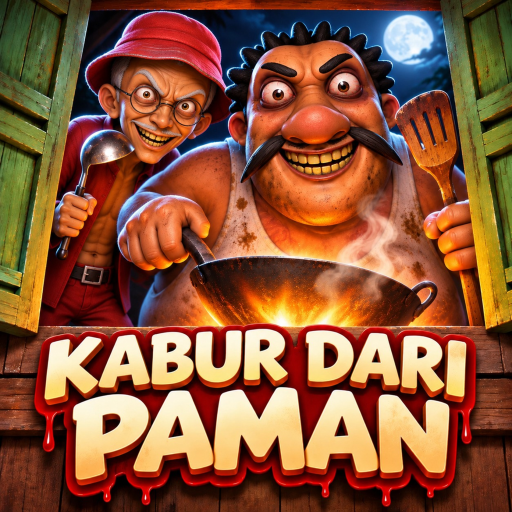
The Tools Hub collects practical helpers for Escape from Uncle (Kabur Dari Paman) on Roblox — lightweight aids you can keep open on a second monitor or phone while the cooking uncle pressures your lobby. DevFian Labs designed a co-op horror escape around crowbar progress, padlock code papers, keys, boards, safe zones, and Normal versus Hard tension. Tools here do not replace skill; they reduce forgotten objectives mid-chase.
Start with the featured Escape Checklist for live sessions. Pair tools with How to Escape, Hard Mode, Secret Endings, and uncle pages on the Players Hub.
Featured tool
Escape Checklist
An interactive-style markdown checklist covering crowbar, wrench, padlock code papers, keys, boards, safe-zone discipline, cooking-window pushes, and co-op callouts. Use it on Normal clears first, then reuse on Hard and secret nights with extra lines for ending conditions.
Why it belongs on every first clear: public lobbies forget which papers are done, drop the crowbar after a panic, or open the exit during a planned secret attempt. A shared checklist keeps the Tier List Hub S-tier Normal Escape actually S-tier in practice.
How Escape from Uncle tools should work
Good tools for this game are:
- Fast — readable during a ten-second safe-zone pause
- Shared — one player can read items aloud
- Mode-aware — Normal, Hard, and secret attempts need different end conditions
- Uncle-aware — Muthu and Ah Tong secret lines should not be mixed casually
- Legit-first — checklists help immersion; they are not executors
If you want automation, that is a different (riskier) conversation on the Scripts Hub. Tools on this hub assume you still play the horror fantasy with your hands.
Suggested workflow
- Open the Escape Checklist before ready-up.
- Assign lookout, searcher, crowbar runner, and code lead (Players Hub explains why).
- Tick item lines as they complete; do not trust memory after a chase.
- On secret nights, add a verbal lock: “exit closed until secret steps done.”
- After wipes, note whether the failure was timer, chase, or missing paper — then jump to the matching guide.
When to switch tools mid-session
- Learning the map — checklist + Getting Started
- First crowbar success — checklist + How to Escape
- Pressure spike — checklist + Hard Mode + stricter lookout
- Completionist night — checklist + Secret Endings + Uncle Muthu or Ah Tong
- Post-patch confusion — checklist + Updates Hub mini audit
What this hub is not
- Not a fake promo code generator (Codes stays honest — no invented codes)
- Not an official DevFian Labs utility
- Not a replacement for voice callouts
- Not a guarantee that item spawn text matches every private hotfix
Escape from Uncle changes when Roblox places iterate. If a checklist line stops matching reality, fix your notes and tell your squad — then check Updates.
Building better co-op with tools
Tools shine when they create shared language. Saying “boards done, papers two of three, crowbar secure” is faster than vague “we’re close.” That language supports S-tier Normal Escape and A-tier Hard or secret goals without needing movement exploits.
Keep the Controls page handy for new players who still fumble inputs while someone reads the checklist. Keep the Guides Hub ready when a tool reveals a knowledge gap instead of an execution gap.
Related pages
Frequently Asked Questions
Quick answers for Escape from Uncle horror escape runs.
What tool should I open first?
The Escape Checklist. Use it on Normal co-op clears to track crowbar, padlock papers, keys, boards, and callouts.
Do these tools require scripts?
No. Wiki tools are checklists and process helpers. Scripts are optional, risky, and covered on a separate hub.
Can I use the checklist for secret endings?
Yes. Complete base objectives, then add secret-specific steps from the Secret Endings guide and the active uncle page.
Who should manage the checklist in co-op?
Usually the code lead or a designated caller who is not the primary lookout during intense chases.